| |
|
How AI Is Changing the Way
People Edit Video
|
|
SArc |
| |
|
Video editing has always
demanded a mix of technical
know-how, creative judgment, and
patience nobody warns you about
going in. Even a short social
clip can mean sorting through
dozens of takes, picking out the
moments actually worth keeping,
arranging them on a timeline,
adding captions, balancing
audio, and finally exporting it
all in the right format. AI is
starting to change that process
– not by taking over the editing
itself, but by handling some of
the repetitive prep work that
used to eat up the first hour of
any project.
|
|
|
| |
|
Rather than replacing the
editor, modern AI-assisted
workflows tend to offer a
starting point – something a
creator can look over and
actually shape into what they
want. That's especially useful
for anyone sitting on a lot of
footage with not nearly enough
time to organize it.
|
|
 |
| |
|
What AI-Assisted Video Editing
Actually Means
AI-assisted editing uses
software to analyze video
material and respond to
instructions or a defined goal.
Instead of manually watching
every clip start to finish, a
creator can describe what
they're after and let an
AI-supported workflow pick out
potentially useful footage or
put together an initial sequence
on its own.
|
|
|
| |
|
Say an editor wants a short
highlight reel pulled from
several recordings. An AI system
can help spot the relevant
sections, trim out the dead
weight, and arrange what's left
into a rough sequence. From
there, that timeline is
something to review and adjust
by hand, not something to accept
as-is.
|
|
 |
| |
|
This distinction matters a lot.
An AI-generated draft isn't a
finished production. Timing,
context, storytelling, music,
captions, visual consistency –
all of that still needs a
person's eye on it.
|
|
|
| |
|
Describing an Edit in Plain
Language
One of the more genuinely
interesting shifts in video
production right now is the use
of natural-language
instructions. Instead of
clicking through every editing
function one by one, creators
can just describe the result
they're going for in ordinary
language.
|
|
|
| |
|
This tends to work well when the
creator already knows exactly
what they want but doesn't want
to sit through every
organizational step by hand.
Instructions can cover things
like which moments matter most,
clip order, pacing, target
length, or the output format
needed.
|
|
 |
| |
|
Getting From Raw Footage to a
Rough Cut
One of the harder parts of
editing is just deciding what
stays. A single recording
session might be full of pauses,
repeated takes, flubbed lines,
background chatter, or stretches
that just don't add anything to
the final story.
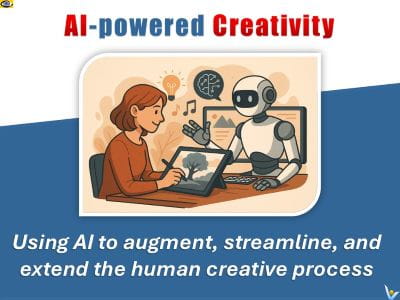
AI-assisted tools can cut down a
lot of that manual sorting right
at the start of a project. In
the CapCut × Codex workflow,
uploaded footage gets analyzed
to identify the useful moments,
trim out what doesn't belong,
and arrange the rest into an
editable rough-cut timeline.
|
|
|
|
 |
|
That "editable"
part really matters. Editors can still reorder
clips, adjust timing, tweak pacing, change
transitions, whatever's needed. It ends up being
a workflow where AI handles some of the initial
organizing, while the creator stays firmly in
charge of the actual creative decisions. |
|
| |
|
Captions and Building for
Different Formats
Captions are another spot where
automation genuinely cuts down
repetitive work. Writing
subtitles by hand takes real
time, especially once the same
content needs preparing in
multiple languages or across
several platforms at once.
|
|
|
|
 |
|
AI-assisted workflows can prepare
that initial caption text, and from
there editors just check the wording and
adjust timing, placement, and appearance
as needed. Different platforms also tend
to demand different aspect ratios and
lengths – a single piece of footage
might need to become a landscape video,
a vertical short, and a square post all
at once.
Building each
version by hand means repeating a lot of the
same editing steps over and over.
|
|
| |
|
AI
can help organize that work,
though every version's still
worth a review pass before it
actually goes live anywhere.
|
|
|
| |
|
Why Human Review Still Carries
the Weight
Automation doesn't remove the
need for editorial judgment. AI
can flag a technically
interesting moment without
really grasping why it matters
to the story. It can miss
context, cut off a sentence
mid-thought, overlook something
important, or generate captions
that need real correction.
|
|
|
|
 |
|
That's why
an AI-generated rough cut is best treated as a
working draft, not something to accept without
question.
Reviewing
that sequence gives creators the chance to fix
errors, smooth out transitions, cut anything
irrelevant, and make sure the video actually
says what it's supposed to say. |
|
| |
|
This human-in-the-loop approach
matters even more for
interviews, educational content,
business communications, and
anything where accuracy
genuinely counts.
|
|
|
| |
|
How Different Creators Actually
Use This
AI-assisted editing shows up
useful across a lot of different
projects. Social media creators
lean on it to organize large
batches of short-form footage
quickly.
|
|
|
| |
|
Small businesses use automated
workflows to turn product demos
or recorded presentations into a
usable first draft. Educators
can break recorded lessons into
shorter, more digestible
sections. Anyone putting
together a travel or event video
can use it to sort through a
genuinely huge pile of clips
without losing a whole weekend
to it.
|
|
 |
| |
|
Beginners tend to benefit here
too – starting from an editable
draft feels a lot less
intimidating than staring down a
completely empty timeline.
Templates and automated
suggestions give a bit of
structure while someone's still
figuring out how individual
editing decisions actually shape
the finished video.
|
|
|
| |
|
Where AI Video Workflows Are
Headed
The general direction points
toward editing software blending
traditional timelines with
conversational interfaces more
and more. Rather than picking
between manual editing and
automation, creators will likely
end up using both –
natural-language instructions
for the repetitive stuff, and
traditional editing controls for
the fine-tuned adjustments that
really need a human touch.
|
|
|
|
 |
|
The most
useful role for AI here is probably as
an assistant that cuts down
organizational work without taking away
creative control.
As these systems
keep developing, the ability to review, correct,
and customize whatever comes out of them is
going to stay a genuinely important part of
doing this responsibly.
|
|
| |
At the end of the
day, good video editing is still about
communication and storytelling. AI can help
organize footage and speed through the routine
parts, but it's still the creator's decisions –
what to show, what to cut, how to tell the story
– that actually shape the finished result. |
|
AI MAGic
AI on AI MAGic
AI Image Generatiion
Multiplicative AI |
|
|
|